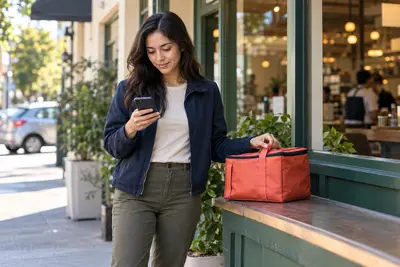
The problem with online banks and cash tips
Online banks and neobanks are great for a lot of things — no monthly fees, early direct deposit, a clean app. But if you drive for a rideshare app, work catering shifts, or get tipped out in cash at the end of a night, you've probably hit the same wall: there's no branch to walk into, and no teller to hand your cash to.
The good news is that you don't need a branch to get cash into a modern bank account. You need to know which method your bank actually supports, because they're not all the same, and some cost real money if you pick the wrong one.
1. Retail cash deposit networks
Most neobanks and prepaid debit accounts partner with pharmacies, grocery stores, or big-box retailers to accept cash on their behalf. You open the app, generate a barcode, hand the cashier your cash, and the barcode gets scanned. The money usually shows up in your account within minutes.
The details matter here. Chime customers can deposit cash into their checking or savings account free at any Walgreens store in the U.S, with daily limits ranging from $20 to $1,000 depending on the location. Chime also partners with other retailers like Walmart and CVS, though some of those locations may charge a small fee.
Varo takes a similar approach but with a different retailer. Varo partners with CVS to offer free cash deposits, though the free deposits only work at stand-alone CVS locations — not those inside Target, on military bases, or in hospitals. Those deposits route through Green Dot, so other retailers may work too, but can carry a fee of around $4.95 per transaction.
If your bank or prepaid card runs on the Green Dot network more broadly, the pricing is fairly consistent: you can typically add anywhere from $20 to $500 at most retailers, and up to $1,000 at participating Walmart locations, and the retail service fee runs up to $4.95, or $3.74 at Walmart.
Walmart itself has built out a large cash-deposit footprint through its MoneyCard. You can add money at the register when shopping in-store, deposit cash at no charge using the app at Walmart stores nationwide, set up free direct deposit, or transfer from a linked bank account. The lesson: check your specific bank's app for its "add cash" or "cash deposit" screen before you assume a retailer is free — the same store can be free for one bank's customers and charge a fee for another's.
2. An out-of-network or bridge account
Some online banks genuinely don't have any retail cash network at all. In that case, one workaround people use is a small "bridge" account at a bank with physical branches or ATMs nearby — opening a free checking account at a traditional bank, depositing cash at that bank's ATM, then transferring the funds to the online account, which typically takes one to three days. It's an extra step, but if you already have a local bank you trust, it can be worth keeping the account open just for this.
One thing to know before you try to use a random ATM: you can usually only deposit cash at ATMs owned by your own bank — not at third-party machines, which surprises a lot of people who assume any ATM will take a deposit.
3. Turn cash into a money order, then mobile-deposit it
This is the quiet workaround that a lot of people miss. Almost every bank app now lets you snap a photo of a check for mobile deposit — and a money order works the same way as a check for this purpose. You can buy a money order with your cash, make it out to yourself, and then deposit it electronically through your bank's mobile app by following the same steps you'd use for a paycheck.
The cost is small relative to the flexibility it gives you. As an example, USPS money orders have historically been priced in tiers — roughly $2.65 for orders up to $500 and $3.75 for orders between $500.01 and $1,000, with a single order capped at $1,000 — though exact pricing can change, so check current rates before you buy. If you need to move more than that, you'd need to buy more than one money order — which means paying that fee more than once.
4. Prepaid cards as a middle step
If your main bank truly has no cash option, a prepaid debit card can act as a funnel. You load cash onto the prepaid card at a participating retailer, then transfer that money from the card to your linked bank account. It's another extra hop, and prepaid cards often carry their own fees, so this tends to work best as an occasional fallback rather than your everyday routine.
How to pick
There's no single "best" answer here — it depends on which bank you actually use, since the free options are usually tied to specific retailer partnerships. Before your next cash tip or gig payout piles up, open your banking app and look for a "deposit cash" or "add money" option. If nothing free shows up, a money order and mobile deposit is usually the cheapest backup, and it works with almost any bank that accepts mobile check deposits — no special partnership required.
If you're choosing a bank account partly because of how it handles cash, that's worth weighing alongside things like early direct deposit and overdraft protection, since the two often come from the same account.